Unlock Integrations.
Make the connections visible.

A Quad Cities software and integration agency sells work most buyers never see: the handoffs between their systems. This website turns those handoffs into something a buyer can look at, click through and recognize.

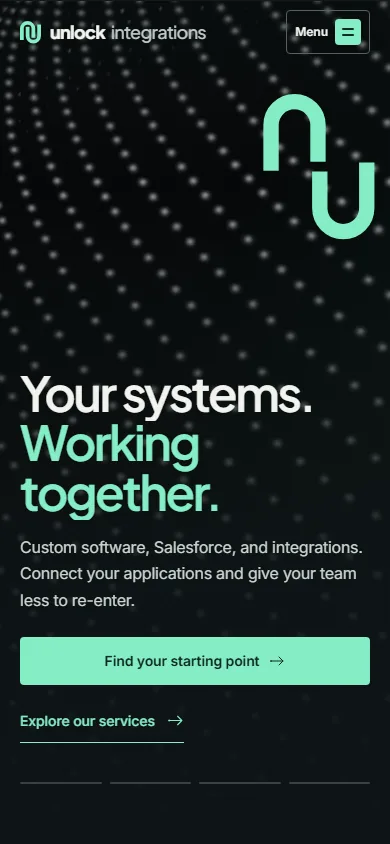
The Unlock Integrations homepage on a phone, with the headline and a full-width “Find your starting point” button.
Software & integration agency in the Quad Cities
The business
Problem-first services, a handoff demo and a guided first step
The experience

What only works because someone remembers?

Nobody shops for an integration agency because they want an integration. They start looking because an order only moves when someone forwards an email, or because two reports show two different numbers. The buyer knows the symptom long before they know the fix.

So the homepage doesn’t open with a list of technologies. It opens with “Your systems. Working together.”, then names six symptoms in the buyer’s own words and links each one to the service that fixes it.

Four decisions behind the site.

01

Name the symptom, not the service.

Each service row starts with a line a buyer would say out loud, like “An order gets entered twice.” or “Two reports. Two different numbers.”, then gives a one-sentence outcome and links to the page that explains the fix.
02

Show one connection up close.

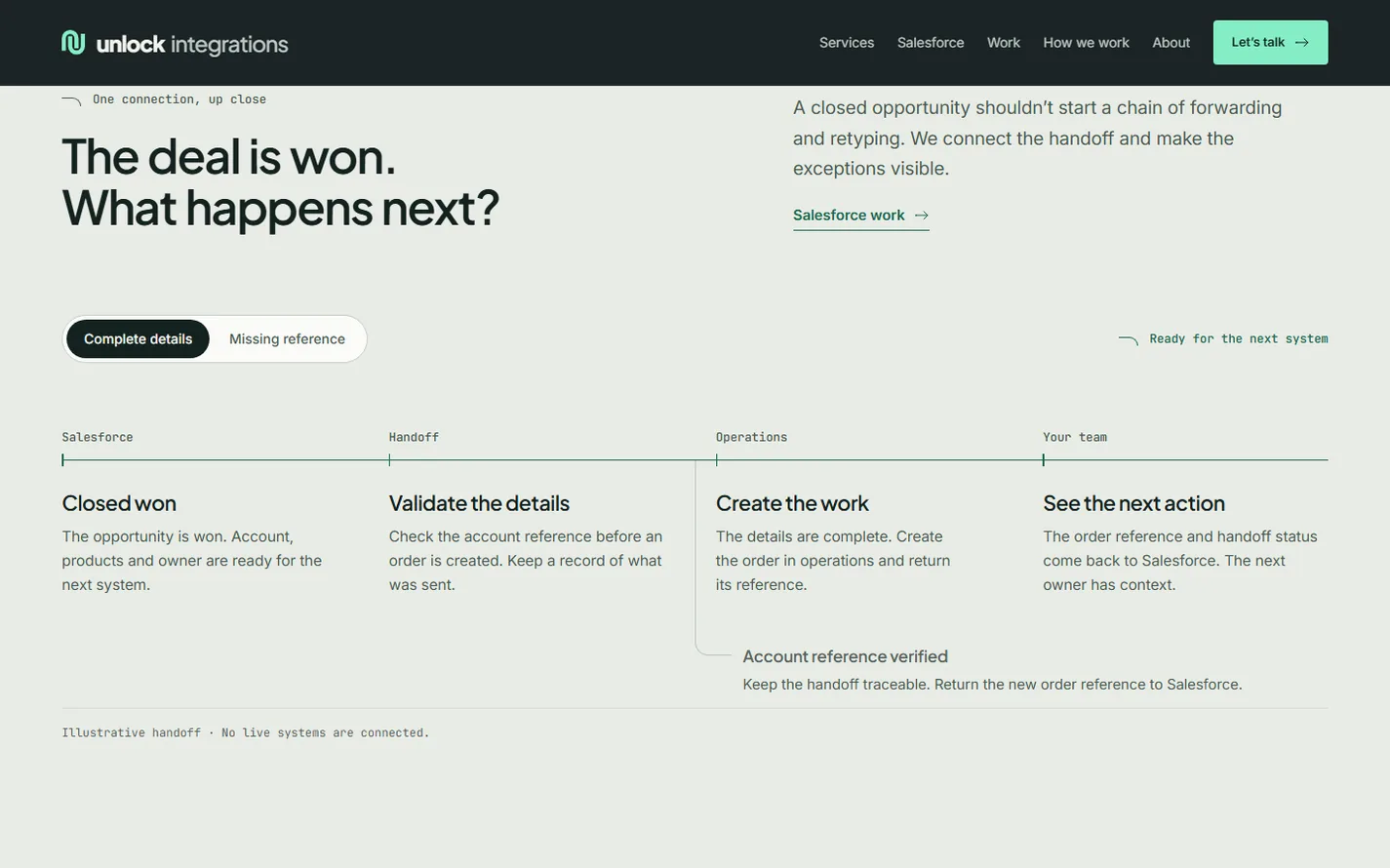
A Salesforce handoff is walked through in four steps, from a closed deal to the next owner’s to-do. A toggle switches between complete details and a missing reference, so a buyer can see how an exception gets caught. It is labeled illustrative, so nobody mistakes it for a live system.

03

Make the first step small.

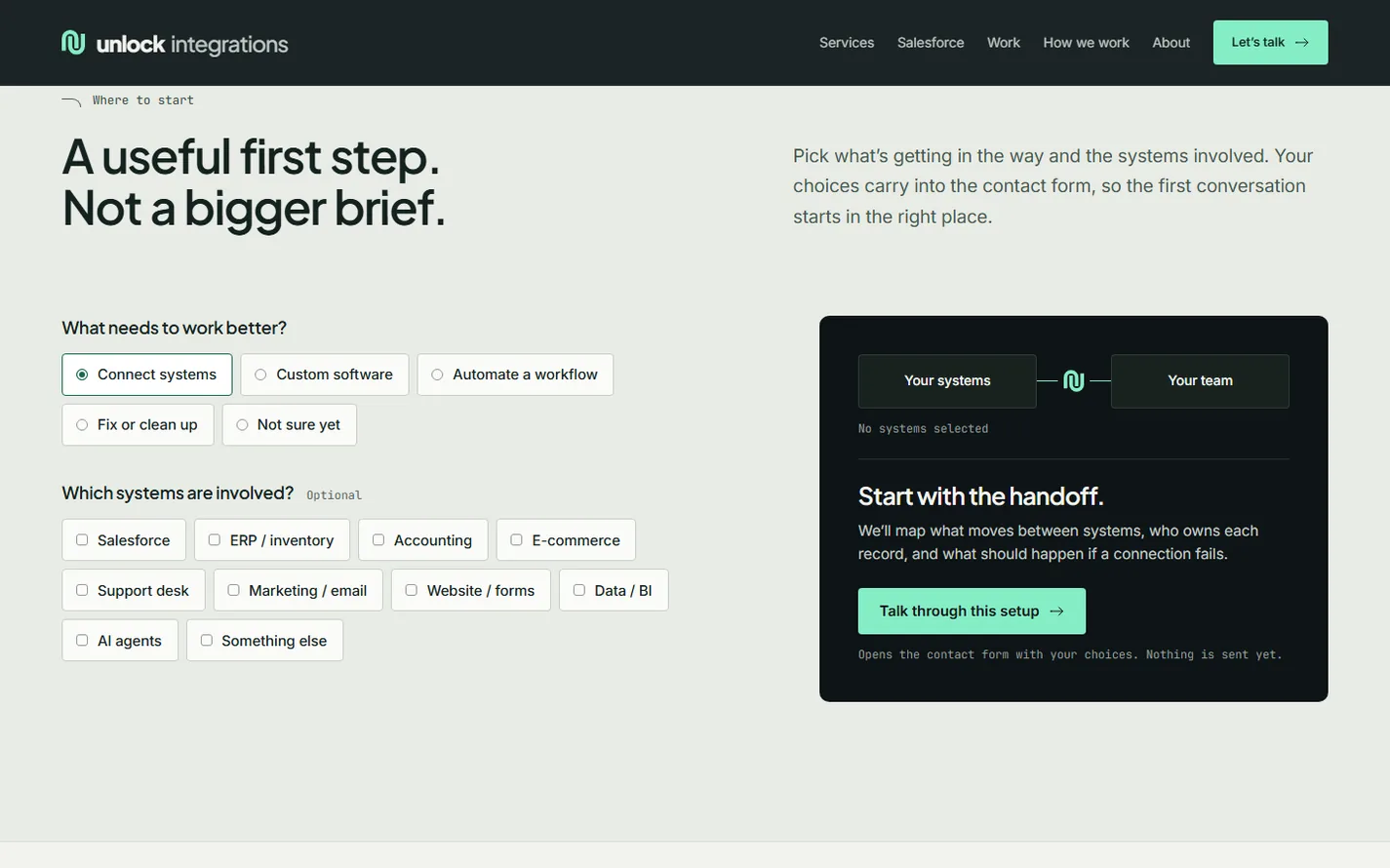
A starting-point picker asks what needs to work better and which systems are involved. The choices carry into the contact form, and the panel says plainly that nothing is sent yet.

04

Let their own products prove the craft.

Two products Unlock built and runs, UnlockSFX and UnlockAbode, appear as captures of their real public websites, with what was built, what it connects to and the stack behind it.

One connection, up close.

“Integration” is abstract until you see one. The Salesforce section takes a single closed deal and follows it: the details are validated, an order is created in operations, and the new reference comes back to Salesforce so the next owner has context.

Switch the toggle to a missing reference and the flow stops where it should, with the problem visible instead of buried in someone’s inbox. That small interaction does more to explain the work than a paragraph about APIs.

The four-step Salesforce handoff on the Unlock Integrations homepage, with the complete-details toggle selected.

A useful first step, not a bigger brief.

The starting-point picker with “Connect systems” selected and a panel reading “Start with the handoff.”

Operations leads rarely have a spec ready. The picker asks two questions they can answer in seconds, what needs to work better and which systems are involved, and turns the answers into the start of a conversation.

The process section backs it up with a written scope and estimate, working software to review as it develops, and code, accounts and documentation in the client’s name at the end.

Your systems have a story too.

Bring the workflow, the systems around it and the buyer your website needs to reach. Or look at another project in the MegaMCP case study.