
Lead routing
Submissions are enriched, tagged, assigned and sent to the right person with the right context.
HubSpot, ActiveCampaign, Mailchimp, forms, email and notifications connected into a workflow your team can actually use. The best automation usually starts with a handoff that keeps failing.
AUTOMATE A STABLE DECISION
The first step is not choosing a tool. It is writing down what should happen when a lead arrives, who owns the next action, and how the team knows the handoff worked. Unclear decisions just hide behind more activity.
Judgment-heavy communication keeps a person in the loop. Pricing exceptions, complaints and complex qualification need a clear human handoff, not a longer branch of automated messages.
WORKFLOW SYSTEMS
Submissions are enriched, tagged, assigned and sent to the right person with the right context.
Follow-up, nurture, reactivation, review requests and handoff messages, written in your voice.
Properties, lists, stages, naming, duplicate fields and old workflows cleaned before new automation goes live.
Simple views of source, status, response time, conversion and where leads are getting stuck.
KNOW WHERE EVERY LEAD WENT
Before launch, every workflow is tested with realistic submissions, missing fields, duplicate contacts, stop conditions and handoffs.
Response time to a new inquiry
Illustrative example
Illustrative, but this is the number most teams are surprised by.
Where leads were stuck
Illustrative example
FROM AUDIT TO TRAINED TEAM
01
Forms, CRM, email platform, fields, lists, reports and the current follow-up process.
02
The workflow diagrammed with triggers, branches, owners, messages, delays and failure states.
03
Properties, lists, automations, emails, notifications and dashboards created and tested.
04
Documentation and a walkthrough, so the workflow does not become another black box.
INVESTMENT & TIMING
$499and up
Start here
The handoff that keeps failing, fixed and documented.
Scoped
Clean first
When broken fields and old lists make every automation unreliable.
Scoped
Ongoing
New workflows and periodic review as forms, staff and offers change.
Your proposal names which platform accounts stay client-owned, who can edit each workflow, how consent and suppression are handled, and what support follows launch. Platform costs are separate.
INFORMATION THAT SPEEDS UP DISCOVERY
Not necessarily. The current system should be audited first. A focused cleanup or connection may solve the problem without a migration.
No. HubSpot is common, but the same planning applies to ActiveCampaign, Mailchimp, forms and other CRM tools.
Yes. Old fields, lists, stages, naming, duplicates and conflicting automations often need attention before new work is reliable.
Documentation and a walkthrough are included so owners understand the triggers, branches, messages, stop conditions and failure alerts.
No. Automation follows defined triggers and rules. An AI-assisted agent may research, classify or generate content within boundaries. The right choice depends on the decision and the risk of getting it wrong.
A service finder, an interactive handoff demo and a guided first step into the contact form.
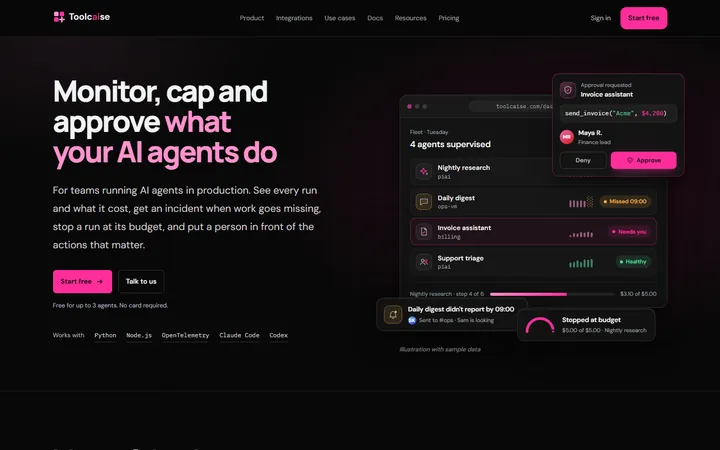
Product illustrations, pricing a team can compare and a resource library.
Real projects, with the context and decisions explained. Explore all our work.